
The Charlotte Observer | News
McClatchyNews & Magazines
2.7190.00 Reviews
- Version
- 11.1.16
- Installs
- 50.00K
- Age Rating
- Everyone 10+
Screenshots


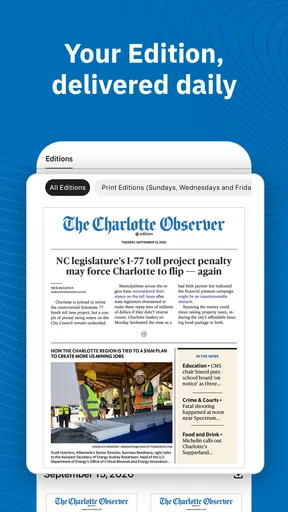
Our Review of The Charlotte Observer | News
 Analysis by Appyee
I think The Charlotte Observer News is most useful when you want a local lens on Charlotte and Central North Carolina rather than another broad national-news feed. Its appeal is focused: it gives regional coverage a place on your phone, alongside weather updates and other local information. That makes it a sensible companion for residents who want to keep an eye on what is happening nearby, though I would not treat it as a complete replacement for every news source I use.
A local perspective has practical value
Local coverage matters most when a story affects a routine: a developing community issue, a change in the area around home or work, or news that helps explain what people nearby are talking about. A national app may cover major events well but give a local development only a passing mention. I value a dedicated regional publication for that gap, because its subject is the place I actually live in or visit.
The Charlotte Observer is published by McClatchy, and the app sits in the News & Magazines space. It is free to install, with in-app purchases listed from $7.99 to $159.99 per item, so I would check the offer and terms shown in the app before committing to any paid option. That distinction matters: installing it does not mean every part of the reading experience is necessarily included at no cost.
Where it fits in a daily routine
For me, a local news app earns its place when checking it is easy to fit between other tasks. I might open it before leaving home to see whether a regional story deserves more attention, then return later when I have time to read beyond a headline. The useful habit is not constant refreshing; it is using a local source at moments when context about the area could change what I do or what I discuss.
Weather updates are particularly relevant in that routine. If I am deciding whether to adjust plans, I would treat the app as a convenient place to look for local coverage and weather information, while relying on a dedicated forecast source when I need precise, time-sensitive details. That is a practical division of labor rather than a criticism: a regional newspaper app and a specialist weather service serve different needs.
What its audience figures suggest
The app has passed 50,000 installs, but its average rating is 2.2 from 410 ratings, with 186 written reviews. I read that as a reason to approach it with measured expectations, not as proof that every person will have the same experience. The gap between a publication’s editorial value and an app’s day-to-day usability can be real: a reader may want the reporting but still be dissatisfied with the mobile product or its paid options.
If you are considering it, I would judge it on the things that affect your own routine: whether the local coverage is relevant to you, whether the app runs comfortably on your device, and whether any paid offer makes sense for how much you expect to read. It is rated for Everyone 10+, and the current version is 11.1.2, which is useful context when checking compatibility and deciding whether the app is appropriate for your household.
Its minimum operating-system requirement is version 8.0. That makes the compatibility question fairly straightforward: check your device’s software before installing, especially if you are using an older phone or tablet. If the app is unavailable or performs poorly on your device, the publication’s other reading options may be worth checking rather than assuming the reporting itself is the issue.
First Impressions
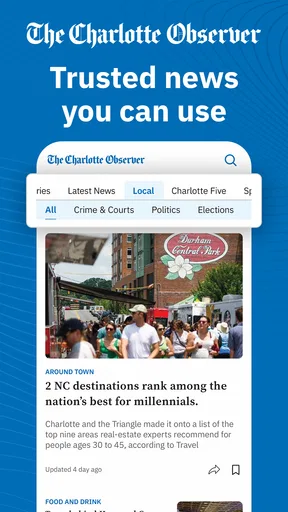
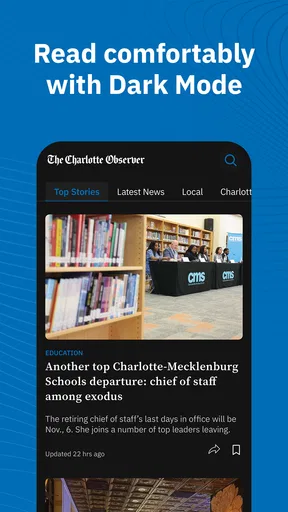
As soon as I launched the app, I was greeted with a clean and straightforward interface. The layout is intuitive, making it super easy to navigate. You know that feeling when an app just "gets you"? That's what I experienced here. The design focuses on delivering content without unnecessary distractions. Everything you need is right where you'd expect it to be.
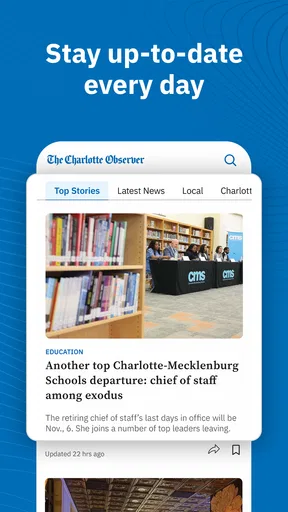
One of the first things I noticed was the prominent placement of the latest headlines. It’s like having a personal news bulletin at your fingertips. And the best part? The stories load quickly, so there's no annoying wait time. It's perfect for those quick news checks while you're sipping your morning coffee.
Features That Stand Out
Now, let's dive into the juicy bits—what makes The Charlotte Observer News app a must-have for news junkies like us?
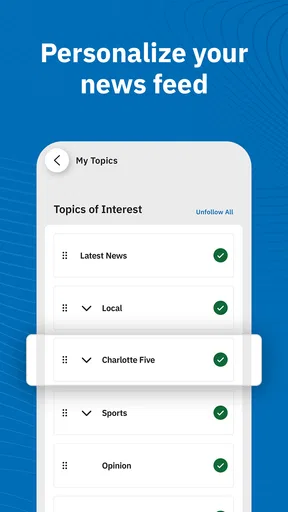
- Customized News Feed: You can tailor your news feed to focus on topics you're interested in. Whether it's local politics, sports, or arts and culture, the app lets you prioritize what matters most to you.
- Real-Time Updates: Get breaking news alerts as they happen. It's like having a direct line to the newsroom. No more FOMO when major events unfold.
- In-Depth Articles: The app offers more than just headlines. Dive deep into comprehensive articles that provide context and insights. Perfect for when you want to know more than just the "what" and explore the "why."
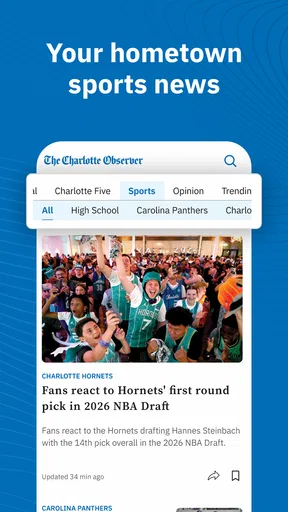
Another cool feature is the multimedia integration. From photo galleries to video content, the app provides a rich, engaging experience. It's like having a mini news station in your pocket.
User Experience
Let's talk about how it feels to use this app on a daily basis. The font size and style are easy on the eyes, which is a big win for those marathon reading sessions. Plus, the app's performance is smooth as butter—no glitches or crashes in sight.
One thing I appreciate is the offline reading feature. You can save articles to read later, which is super handy when you're in areas with sketchy Wi-Fi. Just download your selected articles while you're connected, and you're good to go.
For the social butterflies out there, sharing articles is a breeze. A couple of taps and you can send the latest scoop to your friends or followers. It's perfect for sparking those lively debates in your group chats.
Choosing it over broader news apps
Compared with a general news aggregator, this app’s clearest advantage is its regional identity. An aggregator can gather headlines from many outlets and help me scan a wider range of subjects in one place; the Charlotte Observer app is the more natural choice when I want a publication with a specific local focus. I would use the two differently rather than expecting either one to do everything. If my main interest is international coverage or a broad mix of publishers, an aggregator is likely the better first stop. If I want to follow stories tied to Charlotte and Central North Carolina, a local publication is more directly relevant.
There is also a useful distinction between a newspaper app and social feeds. A social timeline can surface eyewitness posts quickly, but it can mix reporting with opinion, speculation and unrelated updates. I prefer using a local newsroom’s coverage to get a more coherent account, then checking other sources when a story is important or still developing. For urgent public-safety instructions, I would give official local alerts priority over any newspaper app; the app is better understood as a way to follow reporting and context, not as an emergency-warning system.
A few habits that make it more useful
One practical approach is to separate a quick scan from a proper reading session. I would use the headline view to spot stories that matter to my day, then open only the articles where local detail or explanation could change my understanding. That keeps a regional feed from becoming another stream to scroll without purpose. If a story concerns a decision in my neighborhood or workplace, I would read the full piece rather than relying on a headline, which necessarily compresses the issue.
For a commute or a patchy connection, saving an article while online is a sensible way to plan ahead, as the app’s offline reading option makes selected stories available later. I would do that before leaving a reliable connection and choose pieces I genuinely intend to finish, rather than saving every headline. The trade-off is that saved reading helps with access to those chosen articles, but it should not be mistaken for a live feed: new developments still require a connection and a fresh check.
Notifications can also be useful, but I would be selective about whether breaking updates belong on my lock screen. If I want fewer interruptions, I can make the app a deliberate check-in rather than letting every alert dictate my attention. Conversely, someone who follows local developments closely may prefer to keep alerts enabled and use them as prompts to open the relevant story. The right setting depends on how often a notification is helpful instead of distracting.
Who should make room for it
I would recommend trying it if you live in the Charlotte area, have family or work ties there, or regularly need a local publication alongside your national news sources. It is particularly suitable for someone who likes to read a headline first and then follow a story when time allows. The ability to save selected articles can suit a reader who has short windows for browsing and longer periods away from a dependable connection.
It is less suited to someone who wants one app to cover every region, compare reporting from many publishers, or provide specialist forecasts and official emergency alerts. A general aggregator, a dedicated weather service or a local authority’s alert channel may be a better fit for those specific jobs. Readers who are wary of in-app purchases should also look carefully at any offer before proceeding, and decide whether the price matches their likely reading habits rather than assuming that free installation means all content is free.
For a realistic everyday example, imagine I have plans across the Charlotte area and see a local story that could affect the places I intend to visit. I can check the app for the reporting, save the piece if I am heading somewhere with weak service, and share it with a friend who is also making plans. I would still consult a current forecast or official notice if the decision depends on precise weather or urgent instructions. Used that way, the app contributes useful local context without being asked to replace tools designed for other tasks.
How I would assess the experience
The low average rating is worth taking seriously, especially for anyone deciding whether to make this a daily reading habit. I would not dismiss the app solely on that number, because the value of local reporting depends heavily on where a person lives and what they want to follow. But I also would not assume a strong publication automatically guarantees a friction-free mobile experience. A sensible test is to install it, browse the local coverage that matters to you, and pay attention to how the app behaves before deciding whether to spend money or rely on it routinely.
That trial should include more than opening the front page once. Try finding a story again after you have moved on, see whether the sections you care about are easy to reach, and test the save-for-later workflow before you need it offline. These small checks reveal whether the app matches your habits better than a broad news feed. They also help separate a content fit—whether the reporting is relevant—from a usability fit—whether reading it on your device feels comfortable.
Final Thoughts
In conclusion, The Charlotte Observer News app is a solid choice for anyone wanting to stay informed about the region. It's got all the features you need to keep up with the fast-paced world of news. From its user-friendly interface to its robust content offerings, it's clear the developers know what news consumers are looking for.
So, if you're looking to stay in the loop with everything happening in Charlotte, give this app a whirl. It's a reliable companion for your daily news needs. Happy reading!
My verdict
My recommendation is specific rather than universal: this is worth considering when Charlotte-area coverage is a regular need, and less compelling if your news interests are mostly national or spread across many regions. The app’s local emphasis, article-saving option and mix of written and multimedia material give it a clear role, while the modest rating and paid in-app options are reasons to test it thoughtfully. I would start with the free install, confirm that the coverage and reading experience suit me, and only then decide whether any purchase is worthwhile.
Verdict
Strengths of The Charlotte Observer | News
- User-friendly interface and navigation.
- Regular updates with breaking news.
- Customizable notifications for alerts.
- In-depth local coverage and analysis.
- Seamless integration with social media.
Limitations of The Charlotte Observer | News
- Occasional ads can be intrusive.
- Limited offline reading options.
- Some features require a subscription.
- App may lag on older devices.
- Lacks international news coverage.
Other Releases by McClatchy
View All
Fort Worth Star-Telegram News
News & Magazines3.0

Sacramento Bee News California
News & Magazines3.1

Kansas City Star | Local News
News & Magazines2.8

Miami Herald Latest Local News
News & Magazines3.9
Similar Picks in This Category
View All
Google News - Daily Headlines
Google LLC4.0

X
X Corp.4.8

Flipboard:Your Social Magazine
Flipboard3.4

Opera News: breaking & local
Opera4.5

Hindi News by Dainik Bhaskar
Dainik Bhaskar Group4.0

Way2News Daily News App
Way2News ( Formerly Way2SMS )4.6
Frequently Asked Questions
What features does The Charlotte Observer News app offer?
The Charlotte Observer News app offers a comprehensive array of features, including breaking news alerts, in-depth local and national news coverage, sports updates, and opinion pieces. It also provides access to multimedia content such as videos and photo galleries, ensuring users stay informed with rich, engaging content.
Is The Charlotte Observer News app free to use?
The app is free to download and offers some content at no cost. However, access to premium articles and exclusive features may require a subscription. Users can choose from various subscription plans to unlock full content, ensuring they receive the latest news and updates without limitations.
How often is the content updated on The Charlotte Observer News app?
The app provides real-time updates throughout the day, ensuring users receive the latest news as it happens. With a dedicated team of journalists, The Charlotte Observer News app offers timely updates on breaking news, sports scores, and other important events, keeping users well-informed.
Can I customize my news feed in The Charlotte Observer News app?
Yes, the app allows users to customize their news feed according to their interests. By selecting preferred categories or topics, users can tailor their experience to focus on the news that matters most to them, ensuring a more personalized and relevant news consumption experience.
Does The Charlotte Observer News app offer offline reading?
Yes, the app supports offline reading, allowing users to download articles and access them later without an internet connection. This feature is particularly useful for users who want to catch up on the news while traveling or in areas with limited internet connectivity, ensuring uninterrupted access to important content.
